5 Ways Creatives Are Using Adobe Firefly Wrong in 2026
(And How the New Features Actually Change the Game)
Adobe Firefly didn’t just “add AI.”
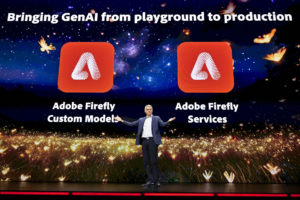
It quietly changed how creative work gets made — and a lot of designers, educators, and freelancers are still using it like it’s 2024.
If you’ve tried Firefly, shrugged, and thought “cool, but not life-changing”…
This list might explain why.
Below are the top 5 mistakes creatives are making with Adobe Firefly’s newest features — and how to stop treating it like a toy and start using it like a professional advantage.
Mistake #1: Treating Firefly as a “Text-to-Image Toy”
Yes, Firefly can generate images.
No, that’s not the point anymore.
In 2026, Firefly is less about making random visuals and more about extending real creative workflows — especially inside Photoshop, Illustrator, and the wider Creative Cloud.
New Firefly features now support:
-
ideation inside actual design files
-
variations that respect brand context
-
controlled creative direction instead of “surprise results”
If you’re still opening Firefly just to “see what it does,” you’re missing its real power.
SEO terms used: Adobe Firefly, Adobe Firefly AI
What to do instead:
Use Firefly where decisions matter — not where novelty lives.
Mistake #2: Ignoring Firefly Boards (The Most Underrated Feature)
Let’s talk about Firefly Boards — because this feature quietly solved a problem creatives have had forever.
Firefly Boards allow you to:
-
explore ideas visually
-
iterate without committing
-
collaborate without chaos
Instead of jumping between mood boards, drafts, and half-baked concepts, Boards keep exploration inside the creative process.
Yet many creatives skip it entirely.
Why?
Because they don’t realize Firefly is no longer just a generator — it’s a thinking space.
SEO terms used: Adobe Firefly features, generative AI for creatives
What to do instead:
Use Boards for exploration before execution — especially when pitching, teaching, or aligning with stakeholders.
Mistake #3: Expecting Firefly to “Replace” Creative Judgment
This one’s subtle — and dangerous.
Some creatives approach Firefly hoping it will:
-
decide for them
-
design for them
-
think for them
That’s not what Firefly is built for.
Firefly excels when:
-
you give clear constraints
-
you understand design principles
-
you guide outcomes intentionally
Without that, results feel generic — and people blame the tool.
SEO terms used: AI design tools, Adobe generative AI
What to do instead:
Treat Firefly like a junior creative assistant — fast, capable, but still needing direction.
Mistake #4: Using Firefly Without Understanding Content Authenticity
One of Firefly’s biggest advantages isn’t visual.
It’s trust.
Firefly integrates with Adobe’s:
-
Content Credentials
-
digital provenance framework
-
ethical AI standards
Which means:
-
generated content can be traced
-
authorship is clearer
-
usage is safer for professional and educational contexts
Many creatives ignore this — until clients or institutions ask questions.
SEO terms used: content authenticity, digital provenance
What to do instead:
Use Firefly not just for speed, but for credibility — especially in professional, educational, or enterprise environments.
Mistake #5: Learning Firefly Casually — Then Being Surprised by Certification or Evaluation
Here’s the part no one loves to hear:
Firefly isn’t just a “nice-to-have” anymore.
It’s becoming part of:
-
creative standards
-
institutional training
-
certification expectations
And Firefly questions don’t test:
“Can you generate something cool?”
They test:
-
when to use it
-
why to use it
-
and how it fits into real workflows
That’s where unstructured learning breaks down.
SEO terms used: Adobe Creative Cloud, creative professional certification
What to do instead:
Understand Firefly strategically, not casually — especially if certification, teaching, or leadership is in your future.
So… Are You Using Adobe Firefly Strategically — or Just Experimentally?
Firefly rewards creatives who:
-
understand workflows
-
think in systems
-
and can explain why a tool belongs in the process
If Firefly is part of your work (or will be soon), the smartest move isn’t guessing where you stand.
It’s checking.
That’s why Creative Nation Academy built the Adobe Certification Readiness Self-Assessment — to help creatives and educators understand:
-
how new tools like Firefly fit into certification logic
-
where their understanding is solid
-
and where structured learning actually matters